v1.0 · MPL-2.0 · iPadOS 26+

An EFB built
by someone who
actually flies.

Open-source VFR moving map, flight recording, and AI debrief for iPad. Three color modes for the cockpit you actually fly in — paper-day for sunlight, dusk for the descent into the airport, true 635 nm red to keep your night vision intact.

MPL-2.0 license
iPad native
SwiftUI + MapLibre
NOAA weather, free
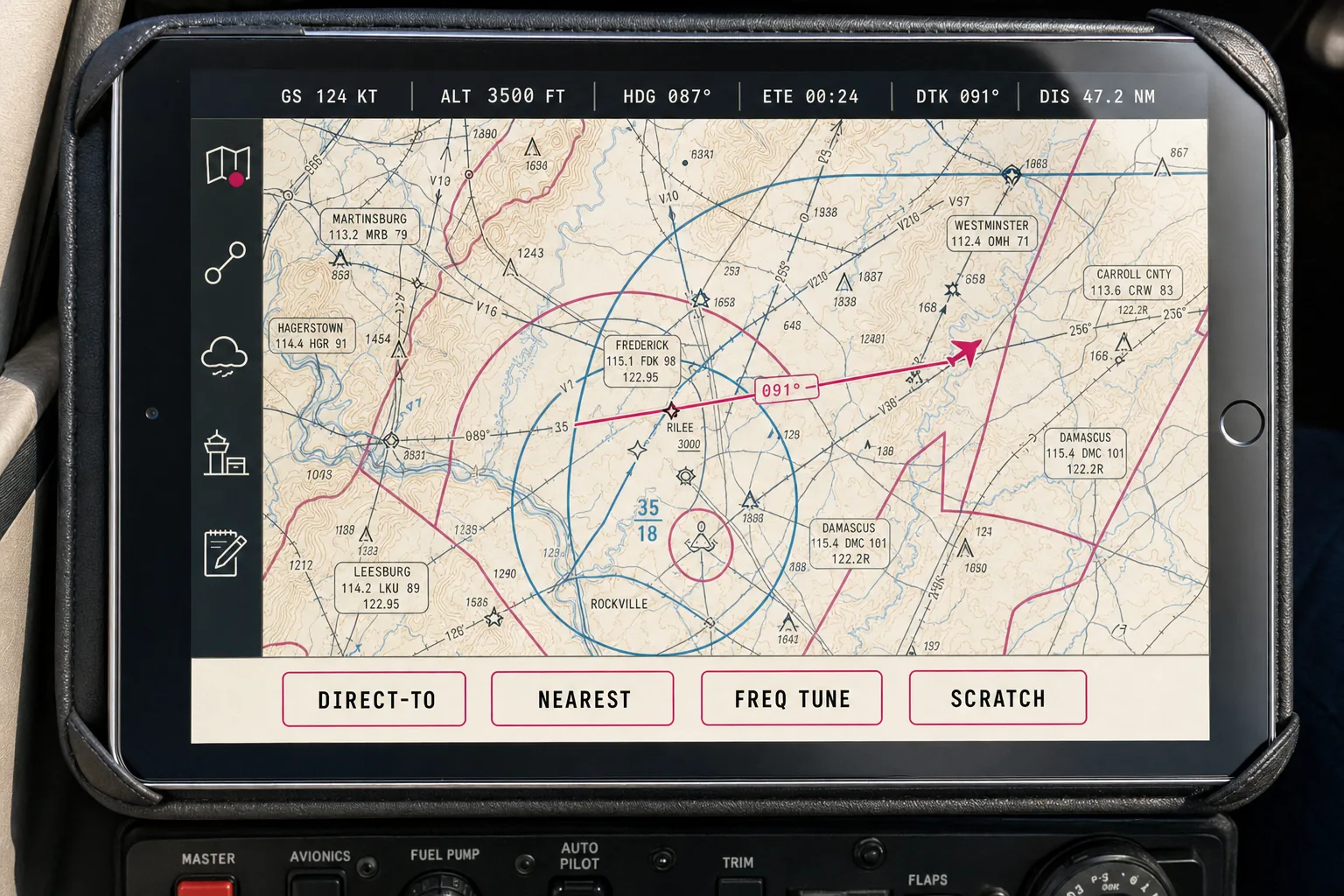
OpenEFB moving-map screen, paper-day mode, showing sectional chart with magenta airspace, cyan controlled airspace, ownship aircraft symbol, instrument strip at top, tool rail at left, action dock at bottom
Paper-Day · Moving Map
01 — Three Modes, Not Two

Cockpit lighting is a tri-state problem. We treat it that way.

Every other EFB ships light and dark. We ship paper-day for direct sunlight, dark-dusk for evening flight, and a true red-night mode that protects your dark-adapted eyes. Auto-switching by ambient light, civil twilight, and GPS position — with manual override that never gets overridden.

OpenEFB in paper-day mode
☀️ Paper-Day

Sunlight readable

Cockpit sunlight at altitude can exceed 100 000 lux. AMOLED dark mode loses there — the iPad's glass reflects more than it emits. Paper-day inverts the contrast model: warm sectional paper, black ink, magenta airspace continuity. Designed to win at 1 000 nits.

Triggers > 1 000 lux ambient, default daylight
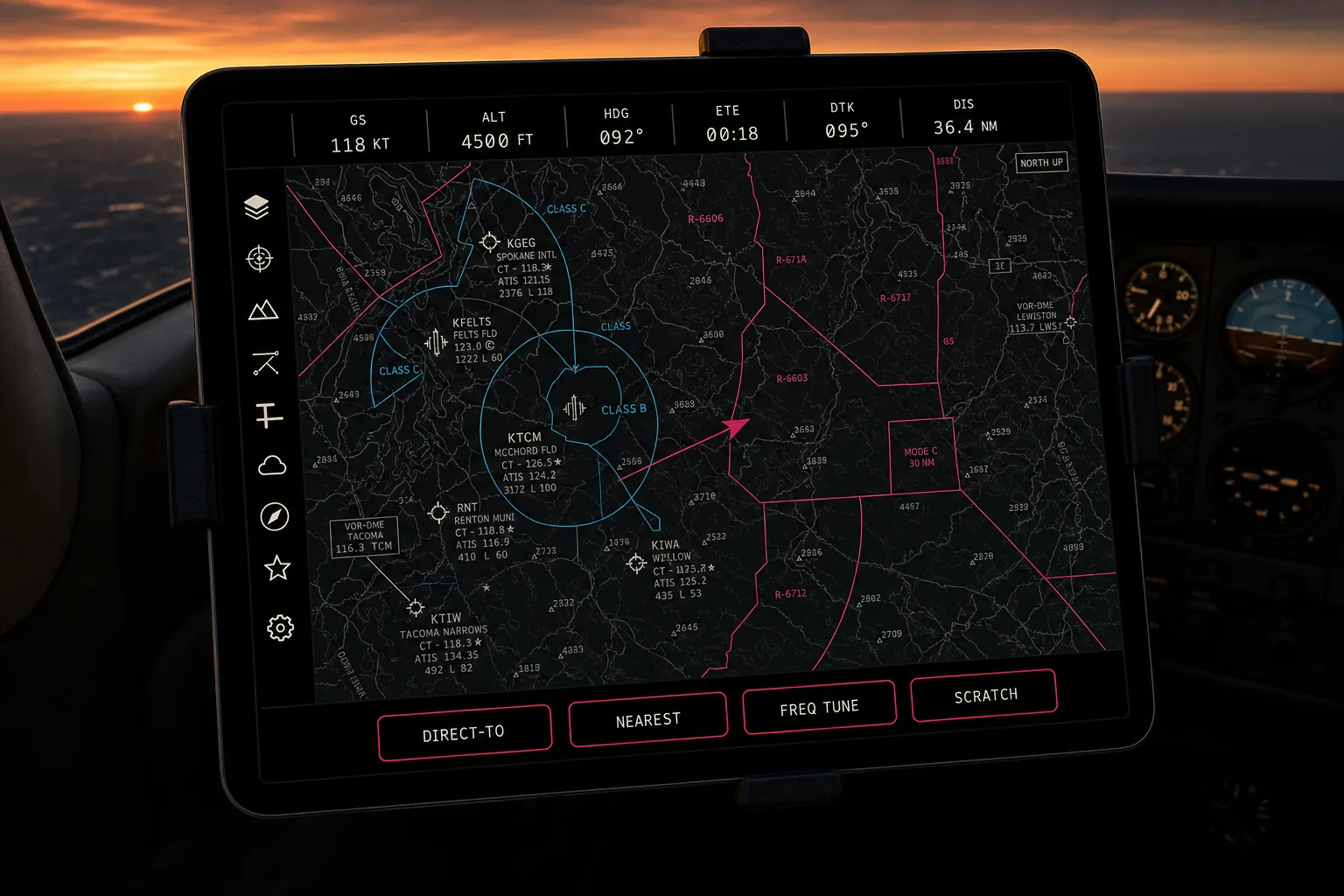
OpenEFB in dark-dusk mode
🌆 Dark-Dusk

Low-light, AMOLED matte

What most apps call dark mode. We use it for the dusk-to-evening window: civil twilight, hangar, dim cabin. True black on AMOLED for power and contrast, warm-white text that matches paper-day's ink color so your eye never has to recalibrate.

Triggers civil twilight through 1 000 lux
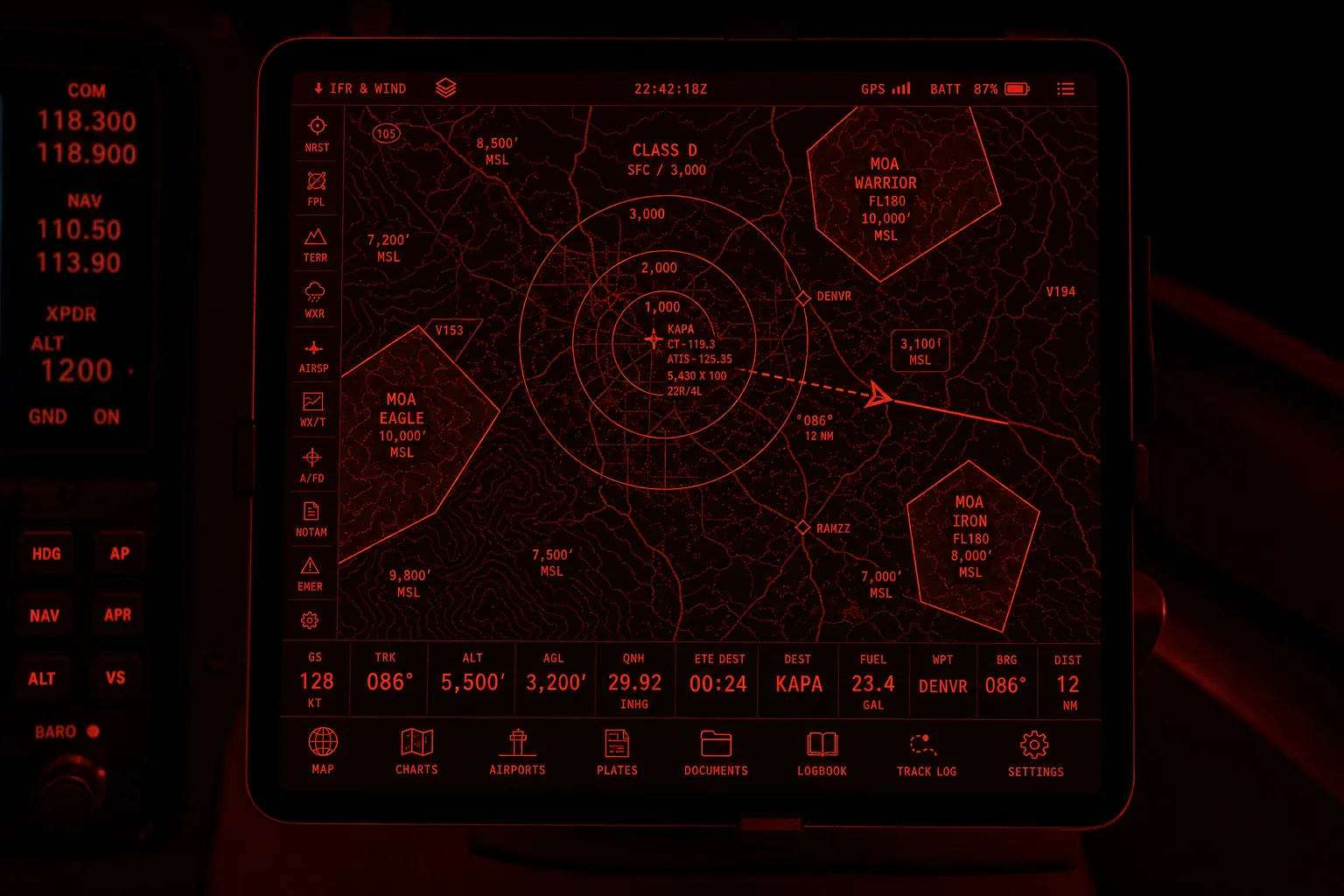
OpenEFB in red-night mode
🌙 Red-Night

635 nm, dark-adaptation safe

True red phosphor at 635 to 660 nm. The blue channel of every visible pixel is clamped to 0x08 or lower — enforced in the SwiftUI color layer, not optional. No motion on critical readouts. No gradients. No glows. Your cones stay shut down so you can see outside the airplane.

Triggers civil night + pilot opt-in
02 — The Cockpit Reality

The physics that ate every other EFB.

100 000+
Lux at altitude in direct sun
~1 000
Peak iPad nits, your screen
≤ 0x08
Blue channel cap, red-night mode
56 pt
In-flight tap target minimum

A cockpit at altitude is one of the brightest environments your eyes ever inhabit. Direct sun through a clear canopy can deliver more than 100 000 lux at the iPad's glass. Your screen, fighting back at roughly 1 000 nits, becomes more reflective than emissive — and that's the moment AMOLED dark mode quietly betrays you. White text on black turns into a mirror you can barely read.

The traditional EFB answer is to crank the brightness and squint. The right answer is to flip the contrast model. High-contrast warm paper with black ink outperforms dark mode under direct sun by a margin that's not subtle. So paper-day isn't a theme choice. It's the only mode that solves the actual problem.

The other end is harder. Night VFR depends on dark adaptation, and dark adaptation depends on starving your cones — particularly the blue-sensitive ones. Cockpit instrument backlighting has used red phosphor at 635 to 660 nanometers for half a century for exactly this reason. Our red-night mode honors that physics: a hard cap on the blue channel of every visible pixel, no animations, no glows, no gradients. The mode is an invariant, not a theme.

And in between, the dusk window — that hour when your eyes are halfway adapted, the cabin is darker than the sky, and a traditional bright-white EFB blinds you for the descent. That's what dark-dusk is for. Three modes because the cockpit has three lighting problems, and pretending it has two is how every other EFB ends up with pilots manually dimming the iPad to 5% at 1 AM.
03 — Typography

B612. The font Airbus open-sourced for cockpit screens.

Designed by Intactile DESIGN and Airbus for the actual problem: arm's-length legibility on aircraft displays under vibration and glare. Distinct slashed zero, unambiguous 1/I/l, wide aperture, true tabular numerics. SIL OFL licensed, ships with the app. Every other EFB uses Helvetica, Univers, or the system font. We don't.

Display · 84 px / B612 Bold
CLEARED DIRECT
3xl · 44 px / B612 Bold
Squawk one two zero zero
2xl · 32 px / B612 Mono Bold
ALT 7 500 · HDG 268° · GS 142 KT
xl · 28 px / B612 Mono Medium
CTAF 122.800 · ATIS 118.250 · GND 121.700
lg · 22 px / B612 Regular
Direct to KAPA via JEFCO, then BJC. Cleared as filed.
base · 16 px / B612 Regular
Body text floor. Never thinner than Regular in flight UI — vibration eats hairlines and you read this with one hand on the yoke.
tnum · zero · digits
0123456789 · 0 vs O · 1 vs l vs I
Aviation chips
VFR · IFR · TFR · ADS-B · MOA · CTAF · ATIS · NOTAM
04 — Color System

Every hex value, three modes, no compromise.

The sectional chart's magenta is our brand color in every mode — visual continuity from chart to chrome. Class B cyan is preserved in paper-day and dark-dusk per FAA convention. In red-night, everything re-maps to red because dark adaptation overrides convention.

05 — The Moat is Open

Every EFB used to be a black box. We're the box you can open.

ForeFlight, Garmin Pilot, FltPlan Go — every category leader is closed source, subscription-locked, and built for the enterprise dispatch buyer first, the pilot second. OpenEFB is for the pilot first. MPL-2.0, contributions welcome, no telemetry, no upsell, no premium tier hiding the actually-useful features.

The aviation community already builds the data. NOAA publishes the weather. The FAA publishes the charts and the airport database. SkyVector parses them. The only thing missing has been an EFB the community actually owns.

We're not trying to dethrone ForeFlight. We're trying to give every pilot who wants one a tool that respects their flight, their eyes, their cockpit, and their wallet.

7 000+
LOC from sovereign-flight-recorder
3 700
US airports seeded
215+
Test cases
MPL-2.0
License
# Clone, build, fly. git clone https://github.com/
  quartermint/openefb.git
cd openefb
open openefb.xcodeproj
# Cmd+R in Xcode. Pick your iPad.

# Or contribute. make test
git checkout -b feature/
  your-better-altimeter